
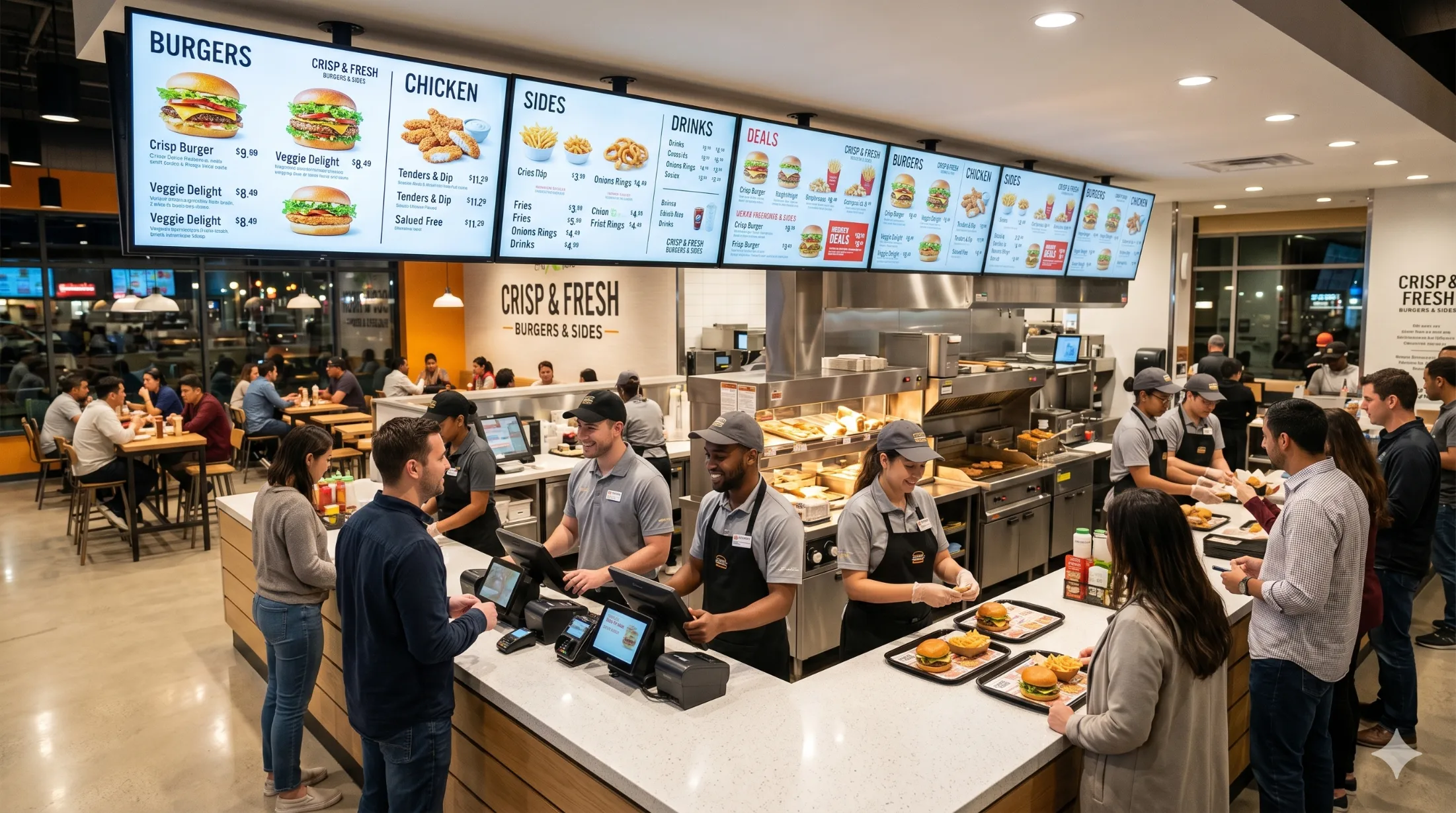

Use the TVs You Already Have
Many restaurant and cafe owners assume that moving to a digital menu board means buying expensive commercial screens, hiring technicians, and investing a large budget. That assumption often delays modernization, even when the business clearly needs faster updates and better promotion tools.
Today, the smartest strategy is much simpler.
You can create a professional digital menu board using the TVs you already have in your restaurant or cafe. There is no need to replace your current screens or purchase specialized hardware. With the right software, any standard TV can instantly become a smart menu and promotions display that you control from one dashboard.
This approach removes the biggest barriers that previously stopped businesses from upgrading their menus. It is faster, more affordable, and easier to manage than printed menus or static boards.
If you run a restaurant, cafe, bakery, takeaway outlet, or food truck, this guide will show you exactly how to turn your existing TV into a powerful digital menu board using MediaXGo.
By the end of this article, you will clearly understand:
- Why printed menus are becoming outdated
- How digital menu boards reduce costs and save time
- How digital displays increase customer engagement
- How to set up MediaXGo
- How to schedule menus automatically
- How to manage multiple screens from one place
- How to start using your current TVs today
What Is a Digital Menu Board?
A digital menu board is a screen that displays your menu, prices, promotions, and announcements using digital content instead of printed materials.
Instead of printing new menus every time you change prices, add items, or launch promotions, you can update everything instantly from your computer or mobile device.
Digital menu boards are widely used in:
- Restaurants
- Cafes
- Coffee shops
- Bakeries
- Fast food outlets
- Juice bars
- Food courts
- Cloud kitchens
- Takeaway counters
They help businesses communicate clearly with customers, promote profitable items, and create a modern brand experience that builds trust.
The Hidden Problems With Printed Menus and Static Menu Boards
Printed menus have been used for decades, but they create operational problems that many business owners do not notice until costs begin to rise.
Printing Costs Keep Increasing
Every time you change prices or introduce new items, you must print new menus. This becomes a repeated expense that continues throughout the year.
Common printing related costs include:
- Menu design updates
- Printing charges
- Delivery fees
- Lamination costs
- Replacement of damaged menus
- Reprinting after price changes
Even small changes can result in unnecessary spending.
For example, if you print menus four times per year, the total annual cost can be significant, especially for restaurants with multiple locations.
Updates Take Too Long
Printed menus require manual work. When prices change or items become unavailable, the update process is slow.
Typical steps include:
- Editing the menu design
- Sending files to the printer
- Waiting for printing
- Distributing menus
- Replacing old versions
This process can take several hours or even days.
With a digital menu board, updates take only a few minutes.
Promotions Are Difficult to Manage
Printed menus are static. They cannot change automatically based on time of day or customer demand.
This makes it difficult to promote:
- Breakfast specials
- Lunch combos
- Happy hour offers
- Dinner promotions
- Limited time deals
Digital menu boards allow automatic scheduling, so the right promotion appears at the right time.
Printed Menus Do Not Capture Attention
Customers naturally notice moving visuals more than static text. Digital displays use motion, color, and images to attract attention.
Printed menus often:
- Look outdated
- Do not stand out
- Cannot highlight promotions dynamically
- Cannot display videos or animations
Digital displays create a more engaging customer experience.
Why Restaurants and Cafes Are Switching to Digital Menu Boards
Digital menu boards are becoming a standard tool for modern food businesses because they improve efficiency and support revenue growth.
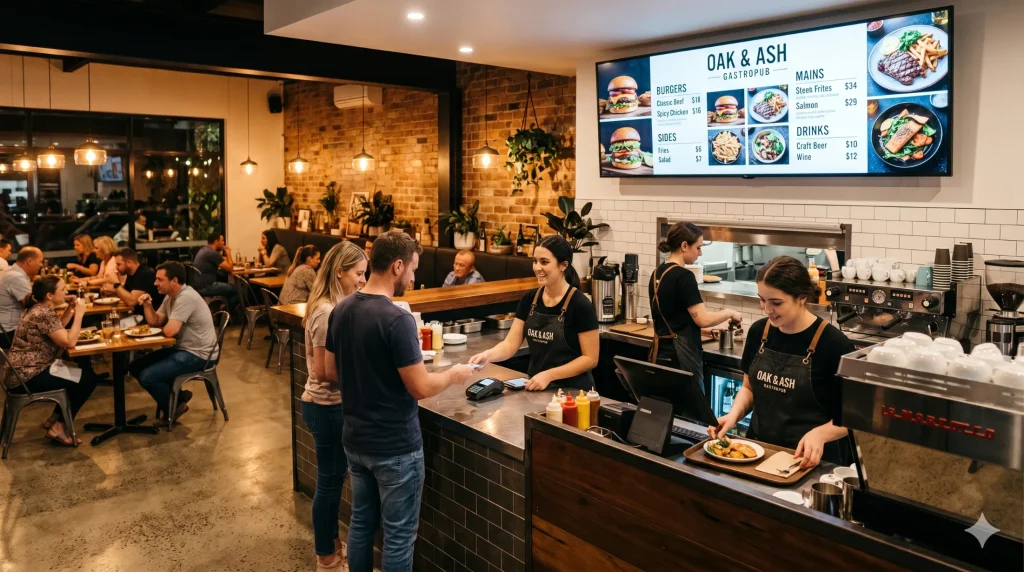
Cost Savings Over Time
One of the biggest advantages of digital menu boards is long term cost reduction.
You save money by eliminating:
- Repeated printing
- Design revisions
- Manual replacements
- Delivery costs
Instead of printing menus multiple times each year, you update content digitally.
Many businesses recover their initial investment within a few months.
Time Savings for Daily Operations
Updating printed menus takes time. Updating a digital menu board takes minutes.
You can quickly:
- Change prices
- Add new items
- Remove sold out dishes
- Launch promotions
- Correct mistakes
This saves valuable time for managers and staff.
Higher Customer Engagement
Digital menu boards use visuals to capture attention and improve communication.
Customers are more likely to notice:
- Featured items
- Combo deals
- New arrivals
- Special offers
This increases customer interest and improves the ordering experience.
Increased Sales and Upselling
Digital menu boards make it easier to promote profitable items and encourage customers to buy more.
You can highlight:
- Best selling dishes
- High margin items
- Add ons and upgrades
- Limited time offers
Many restaurants report sales increases after switching to digital displays because customers notice promotions more easily.
Real Time Updates Across Multiple Locations
If you manage more than one branch, digital menu boards allow centralized control.
You can update menus across all locations instantly from one dashboard.
This ensures consistency and saves management effort.
Digital Menu Board vs Printed Menu: Practical Comparison
| Feature | Digital Menu Board | Printed Menu |
|---|---|---|
| Update speed | Instant updates | Requires reprinting |
| Cost over time | Lower long term cost | Repeated printing expenses |
| Promotions | Dynamic and scheduled | Static only |
| Visual impact | High engagement | Limited attention |
| Flexibility | Easy to change anytime | Difficult to modify |
| Error correction | Immediate fix | Requires new print |
| Multi location management | Centralized control | Manual updates |
| Professional appearance | Modern and dynamic | Traditional |
| Scheduling | Automatic | Manual |
| Scalability | Easy to expand | Difficult to manage |
Use the TVs You Already Have: The Most Practical Digital Menu Strategy
One of the biggest myths about digital menu boards is that you need special hardware.
You do not.
Most restaurants and cafes already have TVs installed for entertainment, advertising, or customer information. These screens can be converted into digital menu boards using a simple application.
Compatible Devices
You can use:
- Android TVs
- Smart TVs
- TV boxes
- Commercial displays
- Existing restaurant TVs
There is no need to purchase new hardware in most cases.
Benefits of Using Your Existing TVs
- Lower startup cost
- Faster deployment
- No installation delays
- Easy expansion to additional screens
- Reduced risk
This makes digital menu boards accessible to small and growing businesses.
Step by Step Guide: How to Set Up MediaXGo Digital Menu Board
Setting up MediaXGo is designed to be simple, fast, and practical for restaurant and cafe owners. You can complete the entire setup process without technical knowledge.
Step 1: Create Your Free MediaXGo Account
The first step is to create your account.
What to Do
- Visit the MediaXGo website
- Click Create Account
- Enter your business details
- Set your password
- Log in to your dashboard
What You Can Do From the Dashboard
Once your account is created, you will gain access to your control panel where you can manage all your screens.
From this dashboard, you can:
- Upload menus
- Add promotions
- Schedule content
- Manage multiple locations
- Monitor screen status
Call to Action
Create your free MediaXGo account today and start building your digital menu in minutes.
Step 2: Download the MediaXGo App on Your Android TV
The next step is to install the MediaXGo application on your screen.
How to Install the App
- Turn on your Android TV or TV box
- Open the Google Play Store
- Search for MediaXGo
- Click Install
- Launch the app
The application is free to download and takes only a few minutes to install.
Call to Action
Download the MediaXGo app now and turn your TV into a digital menu board.
Call to Action
Pair your first screen and start displaying content instantly.
Step 3: Upload Your Menu and Promotions
After pairing your screen, the next step is to upload your content.
Content Types You Can Upload
- Menu items
- Prices
- Combo offers
- Promotions
- Images
- Videos
- Announcements
- Brand messages
- Seasonal campaigns
How to Upload Content
- Open your dashboard
- Click Upload Content
- Select your files
- Save changes
Your content will be ready to display immediately.
Call to Action
Upload your first menu today and see your digital display come to life.
Step 4: Schedule Menus by Time of Day Automatically
Scheduling is one of the most powerful features of digital menu boards because it removes manual work.
Example Daily Schedule
Breakfast Menu
6:00 AM to 11:00 AM
Lunch Menu
11:00 AM to 4:00 PM
Dinner Menu
4:00 PM to 10:00 PM
This ensures customers always see the correct menu without staff intervention.
How to Schedule Content
- Select your content
- Choose schedule settings
- Set start time
- Set end time
- Save
The system will automatically update your screen based on the schedule.
Call to Action
Schedule your menus once and let your screens update automatically every day.
Step 5: Create Zoned Layouts to Display Multiple Messages
Zoned layouts allow you to divide your screen into multiple sections so you can show different content at the same time.
Example Zoned Layout
Top Section
Main menu items
Right Section
Promotions and offers
Bottom Section
Scrolling announcements
Benefits of Zoned Layouts
- Better organization
- Clear communication
- Higher visibility
- Professional presentation
- Efficient use of screen space
How to Create Zoned Layouts
- Open layout settings
- Choose screen layout
- Add zones
- Assign content to each zone
- Save layout
Your screen will display multiple types of information simultaneously.
Call to Action
Design your first zoned layout and maximize your screen space.
Best Practices for Effective Digital Menu Boards
Implementing digital menu boards is simple, but following best practices helps you achieve better results.
Keep Your Menu Simple and Easy to Read
Avoid overcrowding the screen. Customers should understand your menu quickly.
Focus on:
- Clear fonts
- Simple layout
- High contrast colors
- Readable text sizes
Highlight High Profit Items
Place profitable items in visible positions to encourage purchases.
Use High Quality Food Images
Visual presentation influences customer decisions.
Use:
- Bright lighting
- Professional photos
- Consistent style
Limit Menu Items Per Screen
Too many items can confuse customers. Display only the most important options.
Update Promotions Regularly
Fresh content keeps customers interested and encourages repeat visits.
Real Business Benefits of Digital Menu Boards
Digital menu boards deliver measurable operational improvements.
Faster Service
Clear menus reduce decision time and improve order speed.
Improved Customer Experience
Modern displays create a professional atmosphere that builds trust.
Better Staff Productivity
Staff spend less time updating menus and correcting mistakes.
Stronger Brand Image
Digital displays make your business look modern and organized.
Frequently Asked Questions About Digital Menu Boards
1. Do I Need to Buy a New TV to Use a Digital Menu Board?
No, you do not need to buy a new TV.
You can easily use your existing TV or Android TV to display your digital menu board. This helps businesses save money while upgrading their menu display.
2. Is an Internet Connection Required to Use the Digital Menu Board?
Yes, an internet connection is required to update your content.
However, once the content is downloaded to the screen, it will continue displaying even if the internet connection is temporarily unavailable.
3. Can I Control Multiple Digital Menu Board Screens from One Account?
Yes, you can manage multiple screens from a single account.
This is especially useful for businesses with multiple branches or several screens in one location, allowing you to control everything from one place.
4. Can I Update My Digital Menu Board From Anywhere?
Yes, you can update your menu from anywhere at any time.
Simply log in using your phone, laptop, or tablet and make changes instantly without visiting the location.
5. How Long Does It Take to Set Up a Digital Menu Board?
Most businesses complete the setup in less than 15 minutes.
The process is simple and quick, so you can start displaying your menu and promotions without delays.
6. Do I Need Technical Knowledge to Use a Digital Menu Board?
No technical knowledge is required.
The system is designed for business owners and staff to use easily, even if they have no technical background.
Why MediaXGo Is a Practical Digital Menu Board Solution
MediaXGo is designed specifically for restaurants and cafes that want a simple and affordable digital menu system.
Key Advantages
- Use existing TVs
- Free Android app
- Fast setup
- Remote control
- Automatic scheduling
- Zoned layouts
- Multi location support
- Easy expansion
These features make MediaXGo suitable for both small cafes and growing restaurant chains.
Start Using Your Digital Menu Board Today
Digital menu boards are no longer complicated or expensive.
You can transform your restaurant using the screens you already own.
Instead of spending money on repeated printing and manual updates, you can manage everything digitally from one dashboard.
This improves efficiency, reduces costs, and creates a modern customer experience.
Create Your Free MediaXGo Account Today
Start building your digital menu now and manage your screens from anywhere.
Create your free MediaXGo account and begin displaying professional menus in minutes.
Download the MediaXGo App and Launch Your First Screen
Turn your existing TV into a smart menu and promotions display today.
Download the MediaXGo app and start showing dynamic content immediately.
Upgrade Your Restaurant With Digital Displays
Modern restaurants use digital menu boards to stay competitive and grow faster.
Use the TVs you already have and start displaying dynamic menus and promotions today.