
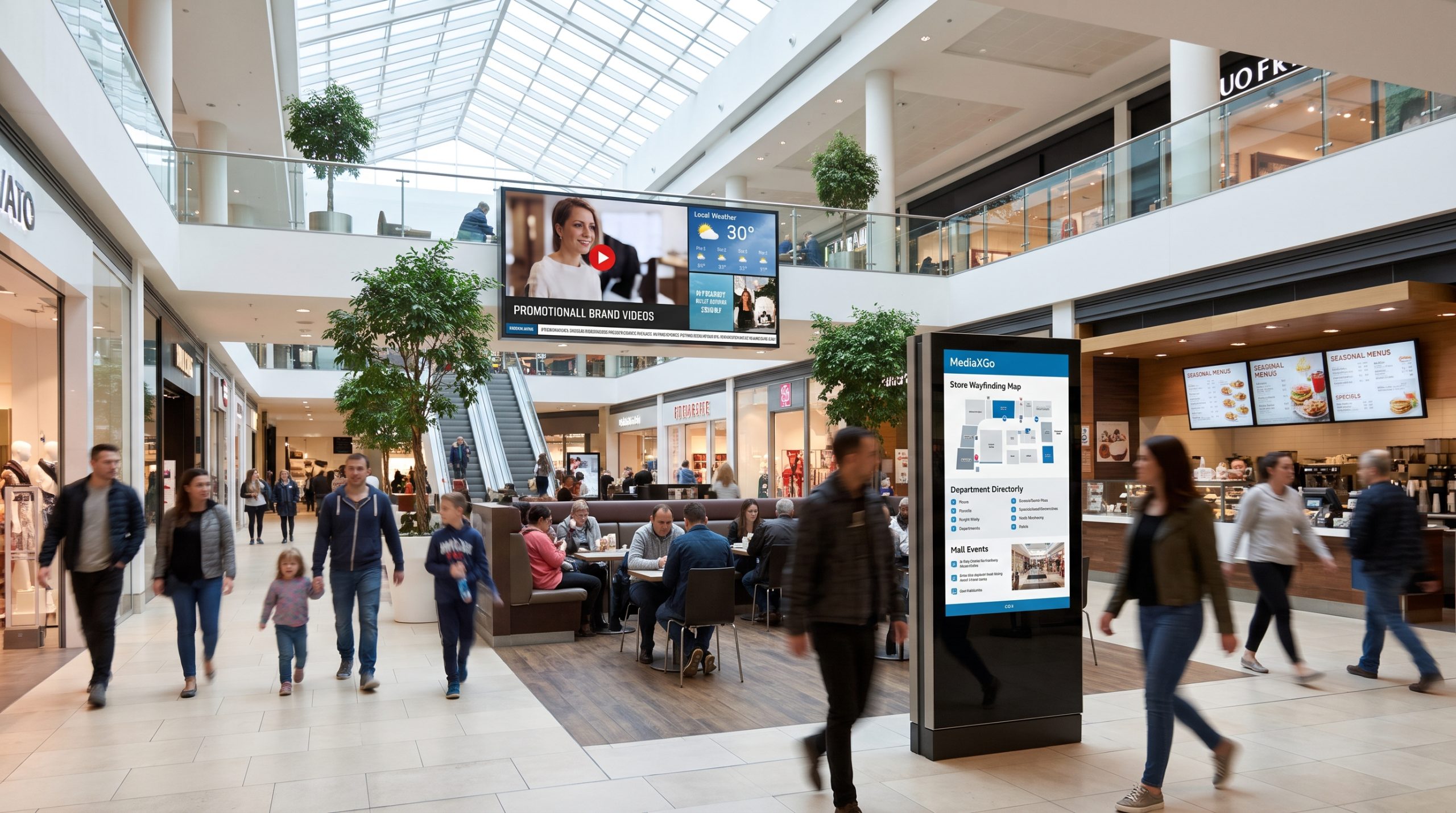

The Complete Enterprise Guide to Cloud-Based Digital Signage Solutions: Architecture, Operations, Strategy, and Implementation with MediaXGo
1. Executive Summary & Industry Shift
For decades, commercial visual communication relied heavily on physical media: silk-screened banners, printed posters, lightboxes, and physical schedule boards. Even the initial wave of “digital” signage in the early 2000s amounted to little more than consumer-grade televisions playing MPEG loops from manually swapped USB thumb drives or running through localized, on-premise servers connected via tangled coaxial and VGA matrix switchers.
Today, enterprise operations cannot tolerate the latency, labor costs, and failure rates associated with legacy display systems. Consumer expectations have adapted to dynamic, omnichannel, digital-first experiences. Whether walking through an international airport terminal, queuing in a quick-service restaurant (QSR), browsing a flagship boutique, or navigating a corporate campus, audiences expect visual displays to deliver context-aware, real-time, high-definition information.
Cloud-native digital signage platforms, exemplified by modern solutions like MediaXGo (mediaxgo.com
), have decoupled visual communication from dedicated physical infrastructure. By operating entirely through centralized Software-as-a-Service (SaaS) architectures, modern digital signage enables organizations to deploy, schedule, synchronize, and monitor global networks containing thousands of disparate screens from any web browser.
This comprehensive guide examines the architectural principles, software workflows, hardware configurations, security topologies, and return-on-investment (ROI) models governing modern digital signage networks, using MediaXGo’s cloud paradigm as an operational benchmark.
2. Platform Architecture: Cloud-Native vs. Legacy Deployments
To understand the operational and financial impact of platforms like MediaXGo, enterprise technology leaders must assess the evolution of digital signage software architecture across three distinct eras:
[Era 1: Analog & Local]           [Era 2: On-Premises Client-Server]       [Era 3: Cloud-Native (MediaXGo)]
┌──────────────────┐               ┌───────────────────────────────┐        ┌──────────────────────────────┐
│ USB Drive / DVD  │               │ Local On-Premise Rack Server  │        │ Multi-Tenant Cloud Platform   │
│        ▼         │               │ (Expensive, Manual VPN Setup) │        │ (Scalable, API-Driven, Web)  │
│  Stand-Alone TV  │               └───────────────┬───────────────┘        └──────────────┬───────────────┘
└──────────────────┘                               │ (LAN/VLAN)                            │ (Secure HTTPS / WSS)
                                                   ▼                                       ▼
                                    ┌─────────────────────────────┐         ┌──────────────────────────────┐
                                    │ Local Hardware PC Players   │         │ Edge Players / Smart SoC TVs │
                                    │ (High Maintenance, OS Patch)│         │ (Android, Fire OS, Tizen, etc)
                                    └─────────────────────────────┘         └──────────────────────────────┘
The Limitations of On-Premises Architecture
In an on-premise system:
- Server Maintenance: Organizations must procure, license, and maintain dedicated rack-mounted media servers running Windows Server or Linux distributions.
- Network Overhead: Deploying content to regional or international branch offices requires maintaining dedicated Virtual Private Networks (VPNs), managing static IP addresses, opening sensitive firewall ports, and configuring complex local routing tables.
- Single Points of Failure: If the centralized on-premise server experiences a hardware failure, power disruption, or database corruption, content deployment halts across the entire organizational footprint.
- Labor-Intensive Scaling: Adding an extra display often requires manual provisioning by an IT engineer, firmware flashing, and localized network authentication.
The Cloud-Native Architecture (MediaXGo Model)
Cloud-native solutions relocate processing, scheduling, database management, and media encoding tasks to resilient cloud infrastructure (typically distributed across cloud provider Availability Zones).
- Microservices and Containerization: Core system capabilities—such as asset transcoding, schedule calculation, device telemetry, and access control—function as independently scalable cloud microservices.
- Content Delivery Networks (CDNs): High-definition media assets (4K MP4s, WebM video, high-resolution JPEG/PNGs, web widgets) are cached at edge points of presence worldwide. An edge player in Tokyo retrieves assets from an East Asia point of presence, while a display in London fetches assets from a Western Europe node, minimizing latency and eliminating central server bandwidth bottlenecks.
- Web-Scale Management Console: Content operators interact exclusively with a unified, browser-based administrative dashboard. No localized client software installations are required for marketing teams, visual merchandisers, or executive assistants.
3. Core Software Engine: Deep Dive into Platform Capabilities
Modern enterprise digital signage software goes far beyond basic slide carousels. The core capabilities powering platforms like MediaXGo represent an integration of multi-tenant asset management, layout design, dynamic scheduling, and edge execution.
┌────────────────────────────────────────────────────────────────────────────────────────┐
│                                 MediaXGo Cloud Console                                │
├──────────────────────┬─────────────────────────────┬───────────────────────────────────┤
│    Media Library     │        Layout Engine        │         Smart Scheduler           │
│  - Multi-format Video│   - Multi-Zone Grids        │   - Chronological Timelines       │
│  - High-Res Imagery  │   - Picture-in-Picture      │   - Granular Dayparting           │
│  - Live Web Widgets  │   - Tickers & Crawlers      │   - Event & Sensor Triggers       │
│  - Dynamic Feeds     │   - Resolution Agnostic     │   - Emergency Overrides           │
└──────────┬───────────┴──────────────┬──────────────┴─────────────────┬─────────────────┘
           │                          │                                │
           └──────────────────────────┼────────────────────────────────┘
                                      ▼
             Secure Transport Layer (TLS 1.3 / Encrypted Payloads)
                                      ▼
┌────────────────────────────────────────────────────────────────────────────────────────┐
│                         Edge Player Application (Client Hardware)                      │
├────────────────────────────────────────────────────────────────────────────────────────┤
│  [Local Caching Engine]  -->  [Offline Playback Core]  -->  [Hardware Decoder Engine]  │
│  [Heartbeat Telemetry]   -->  [Proof-of-Play Logger]   -->  [Reboot & Crash Recovery]  │
└────────────────────────────────────────────────────────────────────────────────────────┘
3.1 Media Ingestion, Transcoding, and Library Management
A resilient digital signage platform must support heterogeneous media inputs without crashing hardware players or showing visual stutter:
- Automated Asset Optimization: When a user uploads a high-bitrate 4K video or an uncompressed image file, cloud workers automatically transcode the media into web-optimized, player-safe formats (such as H.264/H.265 profiles) matched to the destination hardware’s decoding profile.
- Tagging, Folders, and Asset Metadata: Enterprise libraries house thousands of seasonal campaigns, regulatory warnings, and corporate branding assets. Multi-tier folder structures combined with custom metadata tagging allow teams to quickly filter assets by brand, region, campaign, or legal lifecycle.
3.2 Multi-Zone Canvas and Split-Screen Layouts
Single-purpose full-screen video is often insufficient for modern operational environments. MediaXGo’s layout engine enables users to divide physical screens into customizable visual zones:
- Primary Media Zone: Dedicates a large viewport (e.g., 70% of the canvas) to high-impact promotional videos, live streaming feeds, or product animations.
- Secondary Information Panels: Accommodate contextual static banners, promotional sidebars, or menu item descriptions.
- Dynamic Data Tickers: Bottom or top horizontal ribbons running live scrolling text, RSS news feeds, financial updates, or safety bulletins.
- Interactive and Dynamic Overlays: Incorporate live web-based components, including current weather widgets, synchronized digital clocks, and QR code targets.
3.3 Sophisticated Scheduling Logic and Dayparting
Audience demographics and operational priorities shift throughout the day. MediaXGo handles these dynamics through granular scheduling rules:
- Time-Slice Dayparting: In dining and QSR settings, digital menu boards transition seamlessly from breakfast menus at 10:30 AM to lunch menus at 10:31 AM, followed by evening dinner specials and happy hour promotions.
- Recurring and Calendar-Driven Logic: Operators can configure campaigns to activate on specific recurring days of the week, during weekend peaks, or across bounded date ranges (e.g., Black Friday weekend, summer sales windows).
- High-Priority Interrupts and Overrides: For emergency announcements, severe weather alerts, or sudden in-store announcements, system administrators can push immediate priority overrides that suspend all standard loops, take over 100% of the screen real estate instantly, and automatically revert to scheduled programming once dismissed.
3.4 Local Caching and Offline Fault Tolerance
Streaming media over an active network connection directly to an unattended display is an unreliable practice. If an ISP outage occurs, a direct-stream screen displays a black panel or a continuous loading spinner—damaging brand perception.
MediaXGo and leading cloud platforms utilize an Edge-Cache and Local-Execution Architecture:
- When a schedule is created or modified in the cloud, the edge player receives a compact JSON manifest containing layout instructions and download URLs.
- The player downloads all required media assets to its onboard solid-state storage (eMMC or SSD) in the background while continuing to play the existing loop.
- Once all files pass cryptographic checksum validation, the player transitions to the new schedule.
- If the internet goes down completely, the screen continues running its full media playlist indefinitely from local storage.
- When connectivity resumes, the player silently re-establishes its secure WebSocket connection, offloads its proof-of-play logs, and checks for newly published updates.
4. Hardware Ecosystem & Device Fleet Engineering
A digital signage software platform is only as effective as the hardware operating at the edge. Enterprise deployments must carefully evaluate hardware topology across budget, environmental, performance, and scalability dimensions.
| Form Factor | Typical Operating System | Cost Profile | Durability / Duty Cycle | Best-Fit Scenarios |
| System-on-Chip (SoC) Smart Displays | Android / Tizen / webOS | Low–Moderate (Integrated into display) | 16/7 to 24/7 Commercial ratings | Clean retail installations, conference room doors, hospitality corridors. |
| Dedicated Android Media Boxes | Android / Android Open Source Project (AOSP) | Low ($40 – $150 per unit) | 12/7 to 24/7 (Model dependent) | Cost-effective QSR menu boards, retail shop fronts, waiting areas. |
| Industrial ChromeOS / Chromebox | ChromeOS Enterprise | Moderate ($200 – $400 per unit) | 24/7 Commercial grade | High-security enterprise campuses, educational institutions, kiosks. |
| Ruggedized Windows / Linux Mini PCs | Windows 10/11 IoT Enterprise, Ubuntu LTS | High ($350 – $1,000+ per unit) | 24/7 Fanless Industrial rated | Multi-display video walls, interactive AI kiosks, transportation hubs. |
System-on-Chip (SoC) vs. External Media Players
When rolling out digital signage, engineering teams face a fundamental hardware dilemma: use smart screens with built-in processing (SoC) or pair commercial displays with dedicated external media players.
       Option A: SoC Architecture                  Option B: External Media Player Architecture
┌──────────────────────────────────────┐       ┌────────────────────────┐    ┌───────────────────────────┐
│ Commercial Commercial Display        │       │ External Media Player  │    │ Commercial Monitor        │
│ ┌──────────────────────────────────┐ │       │ (Android / Linux / Win)│    │ (High-nits, Commercial)   │
│ │ Integrated SoC Processor         │ │       │                        │    │                           │
│ │ [MediaXGo Player App Installed]  │ │       │ [MediaXGo Player]      │    │ Inputs:                   │
│ └──────────────────────────────────┘ │       │ Outputs: HDMI, Audio   │===>│ HDMI 1 / DisplayPort      │
│ Clean aesthetic, no trailing cables. │       │ Industrial grade, easy │    │ Dedicated power, longer   │
│ Higher replacement cost if SoC dies. │       │ to swap during outages.│    │ panel life span.          │
└──────────────────────────────────────┘       └────────────────────────┘    └───────────────────────────┘
- The SoC Advantage: Using commercial displays with embedded processing (Android, LG webOS, Samsung Tizen) eliminates external HDMI cabling, dedicated player power bricks, and mounting brackets behind the display. This simplifies physical aesthetics and reduces installation labor.
- The External Player Advantage: An external media box running an open platform (such as Android, ChromeOS, or Windows IoT) separates visual display lifecycle from computational hardware lifecycle. If a media player fails or requires a CPU/memory upgrade to handle newer 4K rendering standards, the enterprise can replace a $75 media box in five minutes without unmounting a $1,500 75-inch commercial display from a concrete wall.
5. Security, Governance, and Network Architecture
Digital signage systems exist at the intersection of marketing, physical security, and corporate enterprise networks. If improperly secured, digital screens become vulnerable entry points or public liabilities—susceptible to unauthorized content takeovers, defacement, or network pivot attacks.
┌────────────────────────────────────────────────────────────────────────────────────────┐
│                                Enterprise Cloud Security                               │
├────────────────────────────────────────────────────────────────────────────────────────┤
│  - SAML 2.0 / OpenID Connect Single Sign-On (SSO)                                      │
│  - Multi-Factor Authentication (MFA) Enforced                                         │
│  - Role-Based Access Control (RBAC): SuperAdmin, Content Creator, Regional Approver    │
└──────────────────────────────────────────┬─────────────────────────────────────────────┘
                                           │ Outbound HTTPS (443) / WSS Only
                                           ▼
┌────────────────────────────────────────────────────────────────────────────────────────┐
│                              Enterprise Perimeter Firewall                             │
│   NO INBOUND PORTS OPEN (Protects internal network from external intrusion)           │
└──────────────────────────────────────────┬─────────────────────────────────────────────┘
                                           │ Encrypted Asset Sync & Telemetry
                                           ▼
┌────────────────────────────────────────────────────────────────────────────────────────┐
│                           Isolated Digital Signage VLAN                                │
├──────────────────────────────────────────┬─────────────────────────────────────────────┤
│  [Screen Player 1 - Store #102]          │  [Screen Player 2 - Store #102]             │
│  - OS-Level App Pinning (Kiosk Mode)     │  - OS-Level App Pinning (Kiosk Mode)        │
│  - OS/USB Ports Disabled                 │  - OS/USB Ports Disabled                    │
└──────────────────────────────────────────┴─────────────────────────────────────────────┘
5.1 Outbound-Only Communication Model
A secure digital signage platform must never require inbound firewall holes or port forwarding on the local local area network (LAN).
MediaXGo’s client application initiates all communication outbound to the cloud over standard HTTPS (Port 443) and persistent secure WebSockets (WSS). To the local router and corporate firewall, the media player behaves like a standard web browser requesting content, preventing unauthorized third parties from scanning, detecting, or connecting directly to screen hardware on the LAN.
5.2 Device Kiosk Hardening
Consumer-grade operating systems allow unauthorized users to attach USB mice, escape into desktop environments, or trigger system popups. Commercial signage software implementations enforce strict device policies:
- Operating System Lockdown (Kiosk Mode): The signage client is registered as the default operating system launcher. If the application experiences an uncaught runtime error, the operating system immediately restarts the process.
- Hardware Port Protection: Peripheral USB ports, Bluetooth discovery, and physical input buttons (Power, Volume, Menu) on the chassis are programmatically disabled to prevent on-premise tampering in public venues.
- Auto-Boot and Power Recovery: Displays and players are configured to automatically boot into the signage app when physical AC power is supplied, allowing unattended recovery following grid disruptions.
5.3 Role-Based Access Control (RBAC) and Approval Workflows
In a distributed organization, content authoring must be democratized while brand integrity and compliance remain centralized. MediaXGo provides role-based permission tiers:
- Super Administrators: Define overall network topography, manage hardware licensing, enforce organizational security policies, and manage global screen configurations.
- Content Designers: Upload creative assets, build dynamic layouts, and draft playlists without having direct publication rights to live screens.
- Regional/Branch Managers: Authorized to customize localized parameters (e.g., store-specific pricing, local employee welcome messages) within predefined, locked layout templates.
- Compliance Approvers: Review staged playlists in a digital sandbox, approving or rejecting changes before assets are pushed to production displays.
6. Industry-Specific Implementations & ROI Analysis
Deploying digital signage software transitions from a technology cost center to an operational revenue driver when tailored to specific vertical environments.
6.1 Retail: Transforming Foot Traffic into Measurable Conversion
In modern brick-and-mortar retail, static cardboard displays suffer from production lead times, shipping costs, and high staff non-compliance rates (stores often fail to put up campaign signage on time).
- Dynamic Price & Promotion Sync: Retailers link MediaXGo displays to real-time inventory and pricing databases. If a regional warehouse has excess inventory of a seasonal jacket, displays across regional stores automatically feature targeted promotional sales.
- Interactive Lift-and-Learn: Integrating signage players with RFID or weight sensors enables smart shelving: when a customer lifts a specific running shoe, the adjacent screen immediately transitions from a generic lifestyle video to a detailed technical breakdown of that shoe’s cushioning and support features.
- Hard Cost Elimination: A national retailer operating 200 locations spending $1,200 per store per quarter on printed posters and promotional logistics saves roughly $960,000 annually in physical collateral and disposal expenses alone by moving to digital screen networks.
6.2 Quick-Service Restaurants (QSR) & Hospitality: Digital Menu Boards
In food service, menu clarity, regulatory compliance, and speed of service directly govern profitability.
- Menu Engineering & Upselling: Dynamic menu boards leverage motion graphics to draw customer visual focus toward high-margin items, combos, and limited-time promotions.
- Automated Calorie & Ingredient Mandates: Digital signage simplifies compliance with federal and municipal nutritional labeling laws, instantly updating calorie and allergen details across multiple locations without manual reprint cycles.
- Queue Optimization: Strategically placed screens along the waiting line display ordering recommendations, entertainment, or mobile app loyalty incentives, reducing perceived wait times by up to 35%.
6.3 Corporate Communications & Smart Workplaces
Hybrid workplace dynamics require cohesive internal messaging platforms that engage on-site employees and visitors.
- Unified KPI Dashboards: In corporate campuses, screens in sales, engineering, and logistics wings display live enterprise metrics (pulled securely from BI tools, production metrics, or warehouse management databases).
- Workplace Culture & Internal Branding: Screens celebrate employee milestones, spotlight corporate social responsibility (CSR) initiatives, and broadcast internal town halls live.
- Room Scheduling Panels: Compact 10-inch tablets running digital signage apps outside meeting rooms integrate with Google Workspace or Microsoft 365 calendars, displaying real-time meeting status, attendee lists, and quick-booking interfaces.
6.4 Healthcare & Hospital Campuses
Hospitals, medical complexes, and specialized clinics present complex navigation challenges and anxious visitors.
- Wayfinding & Campus Mapping: Interactive digital kiosks guide patients and visitors through multi-building campuses with floor-by-floor routes, reducing missed appointments and easing staff workload.
- Patient Waiting Room Information: Dynamic displays present health advice, seasonal vaccination availability, clinic policies, and real-time wait estimations, lowering patient stress.
- Staff Area Communication: Displays in nursing stations and break rooms deliver clinical protocol reminders, shift handover updates, and administrative notices.
7. Step-by-Step Implementation Blueprint with MediaXGo
Rolling out an enterprise-wide digital signage network requires a structured deployment methodology to avoid hardware mismatches, network saturation, and content bottlenecks.
┌────────────────────────────────────────────────────────────────────────────────────────┐
│                            Phase 1: Discovery & Architecture                           │
│  - Audit physical venues (power, mounting locations, viewing distances, ambient light) │
│  - Select hardware profile (Commercial Displays, Android/Mini PC Players)              │
│  - Configure Network (Assign Dedicated Signage VLAN, verify Outbound 443 connectivity) │
└──────────────────────────────────────────┬─────────────────────────────────────────────┘
                                           ▼
┌────────────────────────────────────────────────────────────────────────────────────────┐
│                        Phase 2: Platform Provisioning (MediaXGo)                       │
│  - Register organization tenant account at mediaxgo.com                                │
│  - Configure enterprise SSO, security roles, and user permission groups               │
│  - Build display groupings (Hierarchy: Country > Region > City > Store ID > Zone)      │
└──────────────────────────────────────────┬─────────────────────────────────────────────┘
                                           ▼
┌────────────────────────────────────────────────────────────────────────────────────────┐
│                         Phase 3: Hardware Provisioning & Pairing                       │
│  - Deploy client player app to edge hardware (Android APK, Windows client, etc.)       │
│  - Lock player operating system into Kiosk Mode; disable consumer UI controls          │
│  - Enter displayed pairing PIN into MediaXGo console to bind screen to group           │
└──────────────────────────────────────────┬─────────────────────────────────────────────┘
                                           ▼
┌────────────────────────────────────────────────────────────────────────────────────────┐
│                         Phase 4: Content Design & Pipeline Setup                       │
│  - Establish responsive layout canvas (Full-screen, Split-screen, Ticker zones)        │
│  - Upload high-definition assets, test automated transcoding profiles                  │
│  - Construct dayparted schedules and set emergency override protocols                  │
└──────────────────────────────────────────┬─────────────────────────────────────────────┘
                                           ▼
┌────────────────────────────────────────────────────────────────────────────────────────┐
│                        Phase 5: Operations, Telemetry & Maintenance                    │
│  - Monitor real-time screen health, frame drops, and online/offline statuses           │
│  - Review automated Proof-of-Play analytical logs for marketing compliance             │
│  - Schedule automated OTA (Over-The-Air) background software and security updates      │
└────────────────────────────────────────────────────────────────────────────────────────┘
Detailed Operational Steps
- Conduct Physical Site Surveys: Before purchasing hardware, measure ambient lighting to establish required display nit ratings (e.g., 350–500 nits for indoor retail; 1,500–3,500+ nits for window-facing displays). Ensure dedicated unswitched AC power and low-interference 5GHz Wi-Fi or Cat6 Ethernet drops exist at every planned mount position.
- Account Provisioning: Set up the administrative tenant at MediaXGo. Establish role-based groups, segregating local store staff permissions from central marketing leads.
- Player Deployment: Install the MediaXGo player application on client hardware. Upon initial launch, the unprovisioned player generates a distinct, secure pairing code on the screen.
- Cloud Pairing: In the MediaXGo web console, select “Add Display,” enter the pairing code, name the device (e.g.,
NYC-Flagship-Cashier-01), and assign it to its designated display channel. - Campaign Assembly: Create target layouts in the layout editor. Upload brand videos, images, and live data widgets. Drag and drop items into playlist sequences, define the duration for each element, and set the daypart rules.
- Publish and Verify: Hit “Publish.” The cloud delivers manifest updates down to the edge player, which downloads all assets in the background, updates its cache, and transitions cleanly to the new broadcast.
8. Total Cost of Ownership (TCO) & Strategic Investment Analysis
When evaluating cloud-based solutions like MediaXGo against traditional static signage or legacy on-premise platforms, executive leadership must review the complete 3- to 5-year Total Cost of Ownership (TCO).
Comparative 3-Year TCO Breakdown (50 Screens Across 10 Locations)
Cost Distribution Over 3 Years ($ USD)

$120,000 ──┐
           │                                    ┌───────────────────────┐
$100,000 ──┤                                    │   Printed Signage     │
           │                                    │   ($108,000 Total)    │
 $80,000 ──┤ ┌───────────────────────┐          │   - Recurring Prints  │
           │ │   Legacy On-Premise   │          │   - Shipping/Courier  │
 $60,000 ──┤ │   ($84,000 Total)     │          │   - Disposal & Waste  │
           │ │   - On-Prem Servers   │          │   - High Store Labor  │
 $40,000 ──┤ │   - Complex PCs       │          └───────────────────────┘
           │ │   - IT Labor / VPNs   │          ┌───────────────────────┐
 $20,000 ──┤ │   - Expensive Licenses│          │ Cloud-Native Signage  │
           │ └───────────────────────┘          │ (MediaXGo Model)      │
      $0 ──┴────────────────────────────────────┤ ($42,000 Total)       │
                                                │ - Commercial Displays │
                                                │ - Low-cost Players    │
                                                │ - Predictable SaaS    │
                                                └───────────────────────┘
- Physical Signage Costs: Ongoing printing, shipping logistics, human installation error, and disposal fees accumulate linearly every month without yielding reusable technical infrastructure.
- On-Premise Software Costs: High upfront capital expenditures (CapEx) for server hardware, software licenses, network setup, and constant IT engineering intervention whenever a server or VPN tunnel degrades.
- Cloud-Native SaaS Costs: Shifts capital expenditures into manageable operating expenses (OpEx). Low initial player acquisition costs, consumer/commercial smart display compatibility, and predictable monthly software subscriptions maximize capital efficiency and provide continuous feature upgrades.
9. Future Trends: The Convergence of Signage, AI, and Edge Computing
The digital signage landscape continues to evolve rapidly. Organizations investing in platforms like MediaXGo can prepare for near-term technological convergence:
- Computer Vision & Audience Analytics: Discreet camera sensors running privacy-compliant edge machine learning (without storing facial imagery) analyze audience dwell time, attention spans, and basic demographics, serving personalized content in real time.
- Context-Aware Environmental Triggers: Integrating cloud signage APIs with Internet of Things (IoT) sensors allows content to adapt autonomously. Screen campaigns can pivot to warm beverages and comfort food when local outdoor temperatures drop below 40°F, or promote umbrellas when precipitation sensors trigger.
- Programmatic DOOH (Digital Out-of-Home) Monetization: Internal display networks can convert unutilized display schedules into revenue streams by programmatically selling ad inventory to non-competing brand partners via automated programmatic ad exchanges.
- Natural Language Content Assembly: AI-assisted canvas creation tools allow non-technical staff to describe a layout requirement via prompt, instantly generating compliant layouts, selecting approved brand assets, and configuring daypart schedules automatically.
10. Conclusion
Digital signage is no longer just a method for displaying bright pictures in public spaces; it is a critical, cloud-connected communications utility. As organizations strive to modernize their physical touchpoints, solutions like MediaXGo (mediaxgo.com
) provide the essential trifecta: centralized remote control, resilient offline edge execution, and scalable cloud-native architecture.
By eliminating on-premise infrastructure, simplifying content layout composition, and enabling granular scheduling across diverse hardware fleets, modern cloud platforms turn screen networks into dynamic, revenue-generating, brand-building channels. Whether updating a single storefront menu board or orchestrating thousands of screens across an international retail footprint, the cloud-first model delivers the operational agility and cost efficiency modern enterprises demand.