
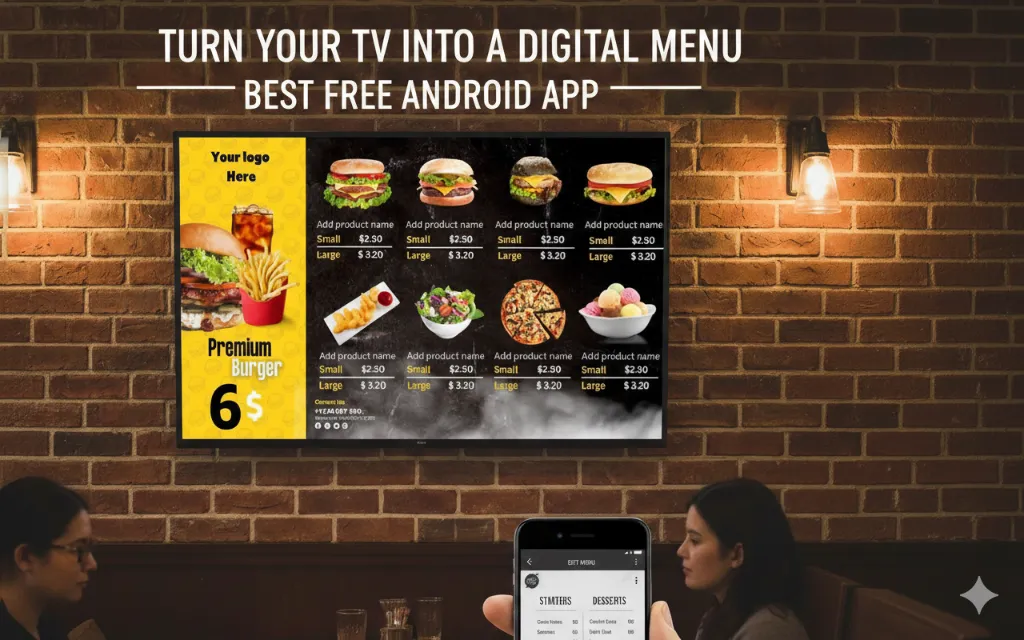

If you run a restaurant, café, or food outlet, your menu is your most powerful marketing tool. Traditionally, menus are printed boards or posters that are hard to update and costly to reprint.
Today, many restaurants are switching to digital menu boards using simple Android apps and TV screens. The best part? You do not need expensive hardware or technical skills.
This beginner guide explains:
- What digital menu boards are
- Why restaurants are adopting them
- How a free Android app can turn your TV into a menu screen
- Step by step setup process
- Real examples
- Comparison with traditional methods
- Why MediaXGo is an ideal solution
Let us get started.
What Are Digital Menu Boards?
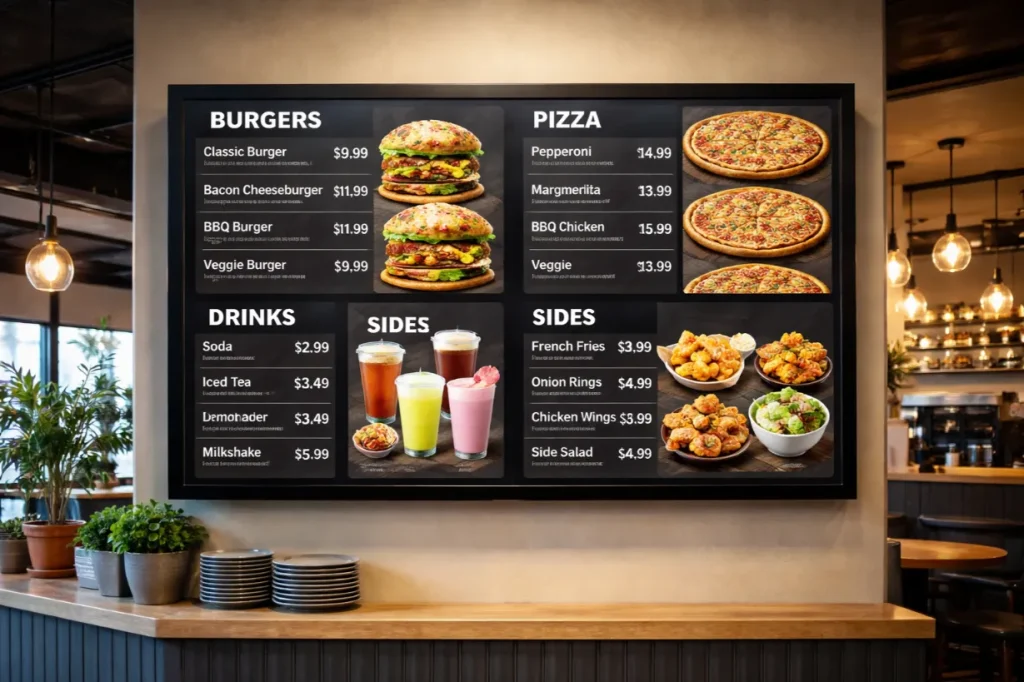
Digital menu boards are TV or screen displays that show your food items, prices, promotions, and images digitally instead of using printed boards.
They are also called:
- Electronic menu boards
- Restaurant TV menus
- Menu display software screens
- Food promotion screens
Instead of printing a new banner every time you change prices, you simply update the content from your phone or laptop.
Why Restaurants Are Switching
Restaurants are modernizing quickly. Customers now expect:
- Clear, attractive menus
- Updated pricing
- Promotions displayed professionally
- A modern dining environment
For example:
- A café in Trinidad And Tobago may update prices due to ingredient cost changes.
- A food truck in Castries may promote a weekend special.
- A bubble tea outlet in Kuala Lumpur may launch a new seasonal drink.
With printed boards, this means reprinting. With digital menu boards, it takes minutes.
Problems with Traditional Printed Menus
Before choosing a free Android app for digital menu boards, it is important to understand the problems with printed menus.
1. High Reprinting Costs
Every price change means reprinting banners or boards.
2. Slow Updates
You cannot instantly promote a new item.
3. Limited Visual Appeal
Printed menus cannot show animations, sliding offers, or rotating promotions.
4. Inconsistent Branding
Different branches may display outdated menus.
Digital menu display software solves these issues easily.
What Is a Free Android App for Digital Menu Boards?
A free Android app for digital menu boards restaurants allows you to:
- Install the app on an Android TV or Android box
- Upload your menu design
- Display it on a TV screen
- Update it remotely
You do not need expensive servers or IT knowledge.
All you need:
- A TV screen
- Android TV or Android device
- Internet connection
- The app
Spotlight: MediaXGo
MediaXGo is designed specifically for restaurants and food outlets that want simple and powerful digital menu boards.
Key Features
- Free Android app
- Easy setup
- Remote menu updates
- Offline display mode
- Attractive templates
- Works on normal TVs
It is built for business owners, not only for tech experts.
Why MediaXGo Is Ideal for Restaurants
1. Easy Setup
You do not need a developer or IT team.
- Download the app
- Log in
- Connect your TV
- Upload your menu
Done.
2. Remote Menu Updates
Imagine you own three restaurants in Colombo, Negombo, and Galle.
Instead of visiting each branch, you:
- Update price once
- Sync across all screens
This is perfect for chains and franchises.
3. Offline Mode
Internet problems are common in many areas.
MediaXGo allows your menu to continue displaying even if WiFi disconnects. When internet returns, it syncs automatically.
This is critical for busy restaurants.
4. Professional Templates
Not everyone is a designer. MediaXGo offers menu layout styles that look clean and modern.
You can show:
- Food images
- Combo deals
- Special offers
- Animated slides
Step by Step Guide to Set Up Digital Menu Boards
Here is a simple beginner setup guide.
Step 1: Get the Required Equipment
You need:
- A TV screen
- Android TV or Android box
- WiFi connection
Step 2: Install the App
- Open Google Play Store on your Android TV
- Search for MediaXGo
- Install the app
Step 3: Create Your Free Account
- Sign up
- Add your restaurant details
- Choose a template
Step 4: Design Your Menu
Add:
- Item names
- Prices
- Categories
- Photos
- Promotions
Keep it simple and readable.
Step 5: Connect to Your TV
Log in from the TV app.
Sync your menu.
Your digital menu board is live.
Example: Small Café in Colombo
A small coffee shop owner used printed boards. Every time milk prices increased, she had to reprint the menu.
After switching to MediaXGo:
- She updates prices from her phone
- Adds weekend promotions
- Displays combo deals visually
- Saves money monthly
Customers also perceive the café as more modern.
Example: Rice and Curry Restaurant in Kandy
A busy lunch restaurant wanted to:
- Highlight daily specials
- Promote delivery offers
- Display high quality food images
Using electronic menu boards, they now:
- Rotate daily menus automatically
- Promote seasonal dishes
- Change pricing instantly
No reprinting required.
Comparison: Printed Menus vs Digital Menu Boards
| Feature | Printed Menu | Digital Menu Boards |
|---|---|---|
| Update Speed | Slow | Instant |
| Cost Over Time | High | Low |
| Visual Appeal | Static | Dynamic |
| Promotions | Limited | Easy |
| Multi Branch Sync | No | Yes |
| Offline Display | Not relevant | Yes with MediaXGo |
Digital menu boards clearly provide long term value.
Design Tips for Better Restaurant TV Menus
1. Use High Quality Images
Customers eat with their eyes first.
2. Highlight Best Sellers
Use color contrast.
3. Keep Text Large
TV screens are viewed from distance.
4. Rotate Promotions
Use sliding banners for offers.
5. Group Items Clearly
Breakfast, lunch, beverages, desserts.
SEO Benefits of Digital Menu Boards
Many restaurant owners do not realize this.
When you consistently update:
- Prices
- Promotions
- New items
You can align them with:
- Social media campaigns
- Online store promotions
- Google Business updates
Consistency builds stronger brand presence online and offline.
Why Free Matters for Small Restaurants
In Sri Lanka and many Asian markets, small restaurants operate on tight margins.
A free Android app for digital menu boards restaurants helps them:
- Start without high investment
- Test before upgrading
- Scale when ready
MediaXGo lowers the entry barrier for digital transformation.
Frequently Asked Questions
Do I need a smart TV?
Yes, you need Android TV or an Android box.
Can I manage multiple branches?
Yes, remote menu updates allow central control.
What happens if internet fails?
The menu continues displaying offline.
Is technical knowledge required?
No. The setup is beginner friendly.
Future of Restaurant Menu Display Software
Digital screens are becoming standard in:
- Quick service restaurants
- Cafés
- Food courts
- Bakeries
- Bubble tea shops
In the next few years, printed menu boards will become less common in modern restaurants.
Early adopters gain:
- Better brand perception
- Operational efficiency
- Faster promotions
- Lower long term costs
Who Should Use Digital Menu Boards?
- New restaurants
- Expanding chains
- Cafés
- Fast food outlets
- Food trucks
- Bakeries
If you want your restaurant to look modern and flexible, electronic menu boards are the right step.
Final Thoughts
Digital menu boards are no longer expensive or complicated. With a free Android app like MediaXGo, any restaurant owner can:
- Turn a normal TV into a professional menu screen
- Update prices instantly
- Promote offers visually
- Continue displaying menus even offline
This is practical, affordable, and scalable.
If you run a restaurant in Sri Lanka or anywhere in Asia, this is the easiest way to modernize your menu system.
Start Free Today
Ready to transform your restaurant TV into powerful digital menu boards?
Create your free MediaXGo account today and experience:
- Easy setup
- Remote control
- Offline reliability
- Professional menu layouts
Modern restaurants need modern tools.
Sign up now and upgrade your menu experience.